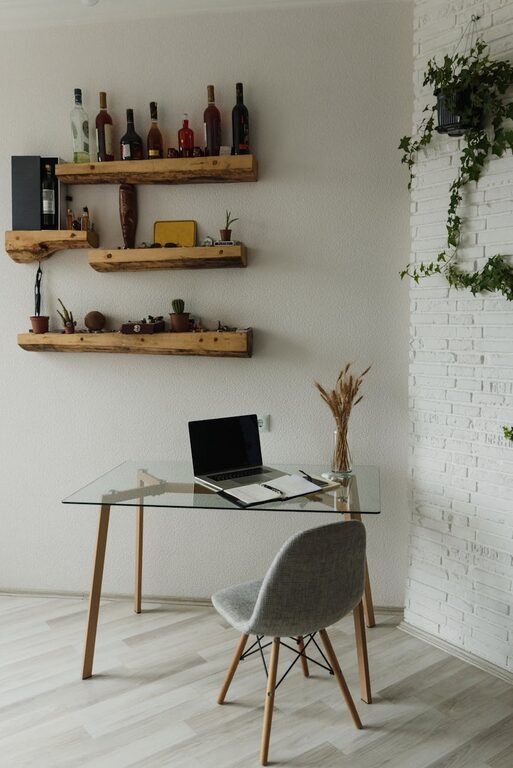

Creating an organized and clutter-free workspace is essential for maintaining focus, reducing stress, and increasing productivity. Whether you work from home or in an office setting, a tidy environment can help you feel more in control and ready to tackle your tasks efficiently. This guide offers simple tips to help you design and maintain an organized workspace that supports your daily routine.
Why an Organized Workspace Matters
A cluttered desk can distract you, make it hard to find things, and create unnecessary stress. Conversely, an organized workspace helps you:
– Save time looking for items
– Improve concentration and creativity
– Promote better work habits
– Create a calm and comfortable environment
By investing a little effort in organizing your workspace, you can enjoy these benefits daily.
Step 1: Clear the Space
Begin by removing everything from your desk and nearby surfaces. This blank slate helps you:
– Assess what you really need
– Clean the area thoroughly
– Identify clutter sources
Wipe down all surfaces before putting anything back.
Step 2: Sort and Declutter
Divide your items into categories:
– Essential daily tools (computer, notepad, pens)
– Occasional-use items (reference books, chargers)
– Non-work-related objects (snacks, personal gadgets)
Decide what to keep, store elsewhere, donate, or throw away. If an item hasn’t been used in the last three months, consider removing it from your workspace.
Step 3: Organize Essentials
Keep frequently used items within easy reach. Use organizers such as:
– Desk trays or drawer dividers for stationery
– Cable organizers for chargers and cords
– Pen holders and document racks
Limit your desktop items to the bare essentials to maintain a clean look.
Step 4: Maximize Storage Solutions
Utilize vertical and hidden storage:
– Shelves above your desk can hold books and decorative boxes
– File cabinets or drawer units store paperwork out of sight
– Wall-mounted organizers keep reminders and calendars visible without cluttering
Label your storage containers to easily locate items when needed.
Step 5: Maintain Digital Organization
Your computer desktop and files also affect your workflow. Tips include:
– Keep your computer desktop clear by organizing files into folders
– Use cloud storage for important documents
– Regularly back up data to avoid loss
– Delete unnecessary files to improve performance
Organized digital space complements your physical environment.
Step 6: Personalize Mindfully
A few personal touches can make your workspace inviting without causing clutter:
– A small plant for freshness
– A photo frame or inspirational quote
– A comfortable chair and proper lighting
Personalize with items that bring joy but avoid overcrowding the space.
Step 7: Develop Consistent Habits
Maintaining an organized workspace requires daily effort:
– Spend 5 minutes at the end of each day tidying your desk
– File paperwork immediately instead of piling it up
– Regularly review your items to remove what is no longer needed
Creating these habits helps your workspace stay clutter-free long term.
Additional Tips for a Productive Workspace
– Use cable clips to avoid tangled cords
– Choose multitasking organizers to save space
– Keep a recycling bin nearby to discard waste immediately
– Place a calendar or planner within sight for quick reference
Conclusion
An organized, clutter-free workspace is achievable with intentional steps and ongoing care. By clearing unnecessary items, utilizing smart storage, maintaining digital order, and nurturing good habits, you can create a work environment that supports focus and productivity every day. Start small and enjoy the positive impact of a neat workspace on your work life.
About the Author